




























claude-usage-tracker
See exactly how much you spend on Claude, across every tool
Your AI Coding Bill Is a Mystery. This Tool Does the Math.
The Macro: The Hidden Tax on Vibe Coding
Something funny happened when AI coding assistants became genuinely useful. Developers stopped thinking about cost. Not because cost disappeared, but because it got distributed across so many surfaces that it became invisible.
You’re in Cursor writing a feature. You flip to Claude Code CLI to debug something hairy. You’re running Cline in the background on a refactor. Windsurf for something else. Each of those is burning tokens against Anthropic’s API, each tracked separately (if at all), each sending you a bill you have to mentally sum yourself. Nobody’s doing that mental sum correctly.
This is a real problem that’s getting worse as multi-agent, multi-tool workflows become standard for anyone doing serious AI-assisted development. The tools are multiplying faster than the observability layer. That’s the gap.
The broader open source tooling market is enormous and growing. Multiple research firms peg the open source software market at well over $40 billion in 2025, with some projections hitting $190 billion by 2034. The compounding driver is that every enterprise and indie developer is now building with AI, and they all need to understand what that’s costing them. Cost visibility is boring infrastructure. It’s also the thing everyone eventually needs.
The competition here is weirdly scattered. There are a few macOS menu bar apps floating around GitHub, including one that got some traction in the r/ClaudeCode community and reportedly tracks usage limits in real-time (built in Swift, sitting around 1,700 stars according to the GitHub metadata I found). There’s also a GNOME-specific tracker someone open-sourced because they couldn’t find one for Linux. What doesn’t exist yet, at least not cleanly, is something that pulls all the tools into one view. That’s what Claude Usage Tracker is going after.
The Micro: One Dashboard, Nine Tools, Zero Cloud
The pitch is simple: you’re flying blind across your AI tools, and this fixes that.
Claude Usage Tracker auto-detects usage from nine or more tools including Cursor, Claude Code CLI, Windsurf, and Cline. It does this by scanning local session data, which is the right call. No cloud. No account creation. No telemetry. The data doesn’t leave your machine, which for developers who are privacy-conscious (read: most of them) is the only acceptable architecture.
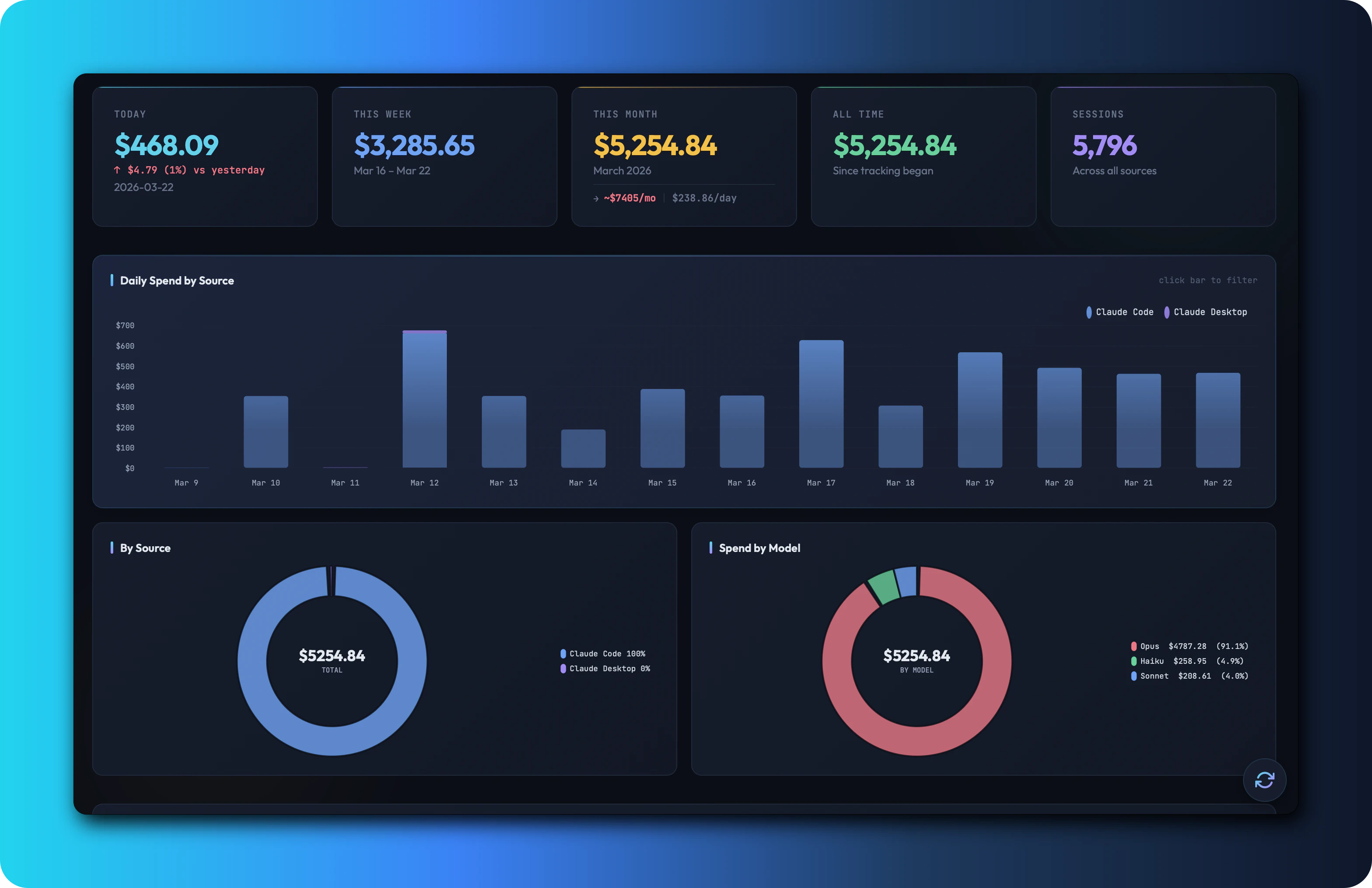
The output is a proper dashboard. Daily cost breakdowns, model-level breakdowns (so you can see when you accidentally burned a session on Opus when Sonnet would have done fine), usage heatmaps, session logs, and monthly projections. That last one matters. Knowing what you spent yesterday is useful. Knowing what you’re trending toward by end of month is actually actionable.
The delivery is a native macOS app, with a browser mode for everyone else. I’d want to know how the browser mode works in practice since “browser mode for other OS” is doing a lot of work in that product description, but the core macOS experience sounds solid.
It launched free and fully open source under MIT. No freemium, no seat licensing, no “we’ll add that in Pro.” That’s a real choice with real implications. It got solid traction on launch day.
The interesting product decision here is the local-scan approach. Rather than requiring you to route API calls through their service (which would be cleaner data, but a massive trust ask), it reads what’s already sitting on your machine. Similar instinct to what I’ve seen in other privacy-first dev tools, like the thinking behind ByteRover’s local-first memory architecture. It’s a harder engineering problem but a much easier trust conversation.
Nine tools is a respectable starting list. The question is whether it stays current as the tool count keeps growing.
The Verdict
I think this is genuinely useful, and I’m somewhat annoyed it doesn’t exist already in a more polished form from Anthropic itself.
The no-cloud, open source stance is the right call for this audience. Developers are not going to route financial data through a stranger’s server. MIT license means someone can fork it and add the tool they care about if the maintainer goes quiet. That’s a reasonable safety net.
The 30-day risk is maintenance velocity. Nine tools sounds comprehensive until a new one drops and suddenly your biggest cost center isn’t tracked. The 60-day risk is that Anthropic ships native usage dashboards inside their own products, which would shrink the addressable problem considerably (though probably not eliminate it, since the cross-tool aggregation is the hard part). The 90-day question is whether anyone builds a sustainable community around it, because MIT open source without contributors eventually goes stale.
What I’d want to know: how accurate is the local session scanning actually, and does it handle edge cases like offline sessions or tool version upgrades gracefully. Those are the places quiet data errors live.
For anyone running a meaningful AI coding workflow right now, I’d just install it. The downside is zero. Native macOS apps with clean dashboards and no accounts are a category that keeps proving its value even when nobody expected them to. This one has a real job to do.