


















claude-code-remote-control
Continue local sessions from any device with Remote Control
Anthropic Wants You to Code From Your Couch. Claude Code Remote Control Makes That a Real Argument.
The Macro: The Terminal Doesn’t Have to Stay on Your Desk
There’s a quiet assumption baked into developer tooling: serious work happens at a serious machine. A desktop, a docked laptop, a monitor that makes your eyes hurt by 10pm. The terminal is tethered. The session is local. You close the lid and the context dies.
That assumption is getting picked apart from multiple directions right now.
AI coding agents have changed what a “session” even means. When you’re not writing code line by line but instead directing an agent that runs autonomously for minutes or hours, the idea that you need to be physically present at the keyboard starts to look arbitrary. If the agent is doing the work, why do you need to be the one staring at it?
This is the real opening Claude Code Remote Control is walking through. Not “coding on mobile” in the old, painful sense of thumb-typing Python into a cramped editor. Something closer to remote supervision. You start a job, you step away, you check in.
The competitive framing matters here. OpenClaw has been building toward general-purpose remote agent control for a while, and Claude Code is now making a direct play into that space. According to Unite.ai, the distinction is meaningful: Claude Code Remote Control is a coding tool made accessible from any device, while OpenClaw is a general-purpose agent that happens to do coding. Different philosophies. Both trying to solve the same handoff problem.
The broader developer tools market has its own momentum. Work being done at the infrastructure layer suggests deployment and orchestration complexity is real and growing. Remote control features don’t exist in a vacuum. They sit on top of all that scaffolding, and how well they work depends heavily on what’s underneath.
The question is whether “accessible from any device” becomes a genuine workflow shift or just a checkbox feature that looks good in a launch post.
The Micro: One QR Code Between Your Desktop and Your Phone
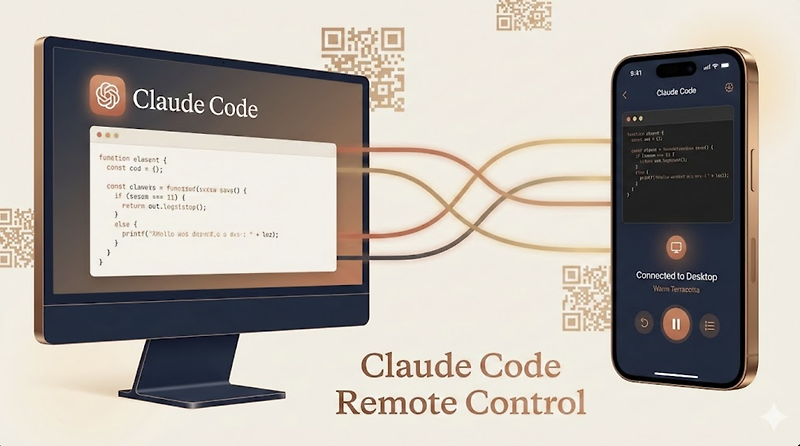
Here’s how it works, based on what Anthropic has shipped and what’s been reported. You start a Claude Code session locally on your machine. You run one command. You get a QR code. You scan it, and your session is now accessible in a browser or through the Claude mobile app, on your phone or tablet, from anywhere.
According to VentureBeat, Claude Code Remote Control functions as a secure bridge between your local terminal and Anthropic’s cloud interface. The local process keeps running. The remote connection lets you observe it, direct it, and intervene. Your compute stays home. Your visibility travels with you.
The product decisions here are interesting. Anthropic chose to route this through claude.ai/code and the Claude mobile app rather than building a standalone tool. That’s a distribution bet. Developers already using Claude Code get this as a natural extension, not a separate signup. It also means Anthropic owns the authentication and session security layer, which matters when you’re talking about remote access to a running terminal.
The detail that caught my attention on Reddit’s ClaudeCode community: some developers were already approximating this manually with SSH into tmux sessions. The fact that a workaround existed and people were using it is a decent signal that the need is genuine.
It got solid traction when it launched, landing at number two on Product Hunt.
What I don’t know yet: how gracefully it handles interruptions, whether the mobile experience is genuinely useful for directing a session or just good for monitoring it, and how it behaves when the local network gets weird. Memory and context management in Claude Code sessions is already a known friction point. Remote control adds another layer where things can go sideways.
The one-command QR code flow is clean. That part Anthropic clearly got right.
The Verdict
I think this is a real feature, not a demo.
The use case is specific enough to be credible: you’re running a long agent task, you need to leave your desk, you want to stay in the loop without being physically present. That’s not a contrived scenario. Any developer who has babysit a slow build or a multi-step agent run on a Friday afternoon knows exactly what this is solving.
The 30-day question is whether the mobile experience holds up under real conditions. A clean QR code flow is a good sign, but remote access to a live terminal session has failure modes that only surface when people actually rely on it. Latency, dropped connections, unclear session state.
At 60 days, the more interesting question is adoption pattern. Does this get used for monitoring or for active direction? Those are different products with different quality bars.
The 90-day concern is competitive pressure. The agent observability space is getting crowded fast, and Anthropic is not the only company thinking about remote control as a feature surface. If OpenClaw or another general-purpose agent framework ships something comparable and more flexible, the coding-tool-first framing starts to look like a constraint.
What I’d actually want to know: what percentage of remote sessions result in the user taking an action versus just watching. That number would tell me whether this is a workflow tool or a comfort blanket. Both have value. Only one has staying power.