
prompt-library
All your best prompts. One shortcut away.
Six Dollars and a Keyboard Shortcut: The Anti-Subscription Case for Prompt Management
The Macro: Your Prompt Chaos Is Not a Unique Problem
Somewhere between the third time you rewrote “act as a senior copywriter and…” from scratch and the moment you created a Notes folder called ‘AI Stuff,’ a product category quietly formed around your dysfunction. Prompt management is now a real market with real competition, and it’s getting crowded.
The tailwind is obvious. The AI productivity tools market sat at roughly $8.8 billion in 2024 and is projected to hit $36.4 billion by 2033, compounding at around 16% annually according to Grand View Research. Broader productivity software numbers move in the same direction. The specific figures are famously optimistic in market forecast math, but the direction is consistent across sources: organizations are spending more on AI workflow infrastructure. Industry surveys from mid-2024 show 67% of AI decision-makers planned to increase generative AI investment by 2025. That investment has to land somewhere.
Some of it lands on tools that make prompt reuse less painful.
The Chrome extension world is already well-populated. PI Prompts targets ChatGPT, Gemini, Claude, and Mistral users from a browser panel. PromptCurator and similar tools occupy the same territory. The Reddit thread on prompt management, a reliable leading indicator of a problem that’s real but unsolved, shows users cobbling together solutions from Notion, plain text files, and clipboard managers. Nobody’s delighted. Whoever makes insertion feel invisible rather than like a workflow interruption has the clearest path forward.
The Mac-native angle is a genuine differentiator, not a compromise. Browser extensions live and die by which tab is active. A system-level global shortcut works in Cursor, in the native Claude desktop app, in your email client, in whatever text field your cursor happens to be sitting in. That’s architecturally different, not just aesthetically different.
The Micro: ⌘⌥P and the Philosophy of One-Time Payment
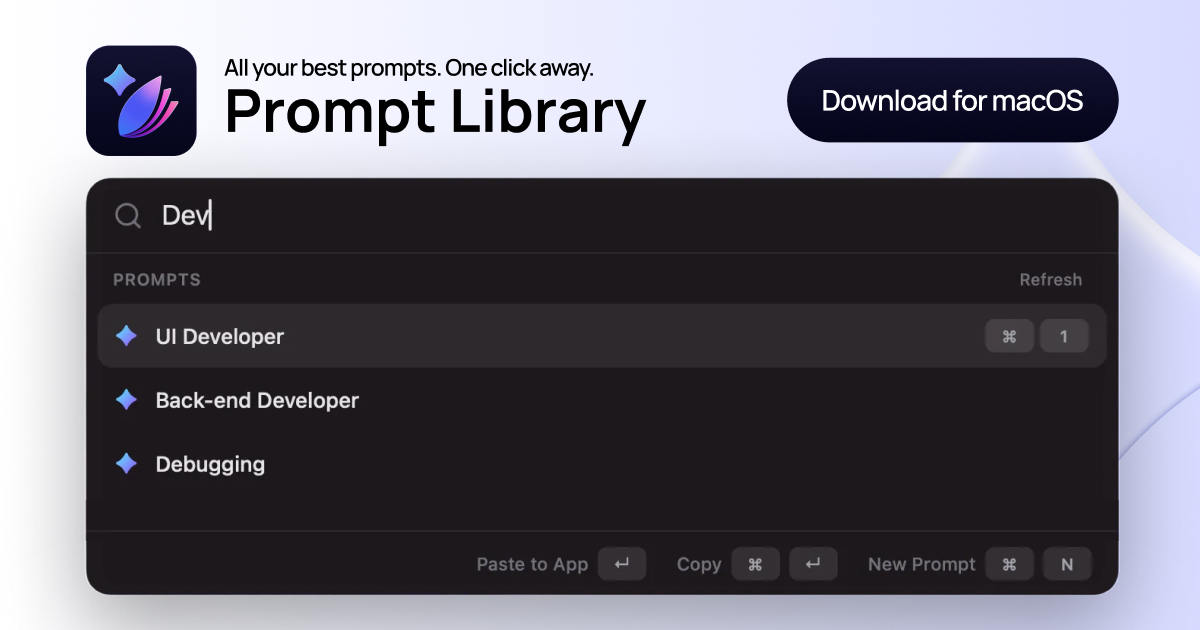
Prompt Library is a Mac menu bar app. You save prompts, tag them, organize them into collections, marketing, engineering, hiring, whatever your categories are, then press ⌘⌥P anywhere on your machine to get a searchable launcher that inserts the selected prompt directly into whatever’s in focus. No cloud sync mentioned on the site, no team features, no AI layer on top of your prompts.
It does one thing and structures itself around that thing.
The pricing is the most deliberate product decision on the page. The free trial caps you at 8 prompts. Enough to test the workflow loop without getting comfortable. Full access is a one-time payment of $6.35, no subscription ever, stated explicitly and repeated. In a moment when per-seat-per-month is the default posture for anything touching AI workflows, that’s a positioning choice with teeth. It self-selects for individual buyers who are tired of the subscription math and willing to pay a small, final number to own something outright.
The current version is 0.3.0, which is honest. This is early software. The free trial downloads a .dmg directly with no App Store involved, which adds a friction point for cautious Mac users who blanch at Gatekeeper warnings.
It got solid traction on launch day, with meaningful comment engagement that suggested people were actually debating whether this fit their workflow rather than just clicking upvote and moving on. That’s the conversation you want at launch.
The $6.35 price point is slightly odd. Not $5, not $7, not $9.99. That specificity is either a conversion optimization test or a currency conversion artifact from international pricing. Either way, it’s memorable.
The Verdict
Prompt Library isn’t trying to own your AI stack. It’s trying to own one small, irritating moment in your day. The “where did I put that prompt” moment. It charges six dollars for the privilege of never having that moment again. That’s a defensible proposition.
What makes it succeed at 30 days: the global shortcut actually works reliably across apps, especially Electron apps, which are famously hostile to system integrations. The search is fast enough that it doesn’t break the mental flow it’s supposed to preserve. These are solvable engineering problems, not conceptual ones.
What makes it stall at 60 to 90 days is more structural. Single-user, Mac-only, no sync. The buyer who needs this most is often the person on a team who wants to share prompt collections with colleagues. If Prompt Library can’t grow horizontally from individual to team, it stays a nice utility rather than a workflow standard.
What I’d want to know before fully endorsing it: how it handles Electron apps and sandboxed environments in practice, and whether 0.3.0 is close to stable or still sorting out core behavior.
The one-time pricing model is genuinely good for users. Whether it’s sustainable for the developer is the open question that a $6.35 price point can’t fully answer from the outside. Worth the download to find out if your prompt graveyard needs a proper home.
Also featured on HUGE: TamLabs Thinks AI Can Redesign Knowledge Work and They’re Starting with Professional Services · Vercel Wants to Own the Whole Stack, Not Just the Edge · OpenAI’s New Codex Helped Build Itself. That’s Either Impressive or a Warning Label.