






























what-s-up-with-that
Get instant insights about the topic you're reading about
The Browser Extension That Wants to Be Your Brain's Research Department
The Macro: Everyone Is Drowning in Articles They Can’t Actually Use
There is a particular frustration that comes from reading a news story about a sector you’re adjacent to, understanding about 60% of it, and having no clean way to close that gap without opening fifteen more tabs. You either go deep and lose the thread, or you skim and stay permanently shallow. Neither is satisfying.
This is the problem space that AI productivity tools have been circling for two years now. The numbers behind the market are large enough that citing them starts to feel almost comical. According to Grand View Research, the AI productivity tools market hit $8.8 billion in 2024 and is projected to reach $36 billion by 2033. A separate estimate from Market.us puts that 2034 figure closer to $115 billion. The range between those two projections tells you something about how early and how contested this space still is.
What’s actually interesting isn’t the market size. It’s where the tool-makers are placing their bets. Most AI productivity tools right now are optimized for creation: writing faster, summarizing meetings, generating code. Products like Monologue are going after the input side, embedding AI into the act of typing itself. Others, like Guideless, are rethinking how we document and instruct.
Fewer tools are targeting the consumption side. The act of reading something and actually understanding it, not just processing words but building a mental model of what’s new, what matters, and what to do with it. That gap is real. And it’s where What’s Up With That? is trying to sit.
The browser extension space is crowded, but most extensions either summarize passively or prompt you to paste things somewhere else. The pitch here is different: instead of helping you produce output faster, the product is trying to make your input more intelligent.
The Micro: 35 Mental Models Walk Into a Browser Tab
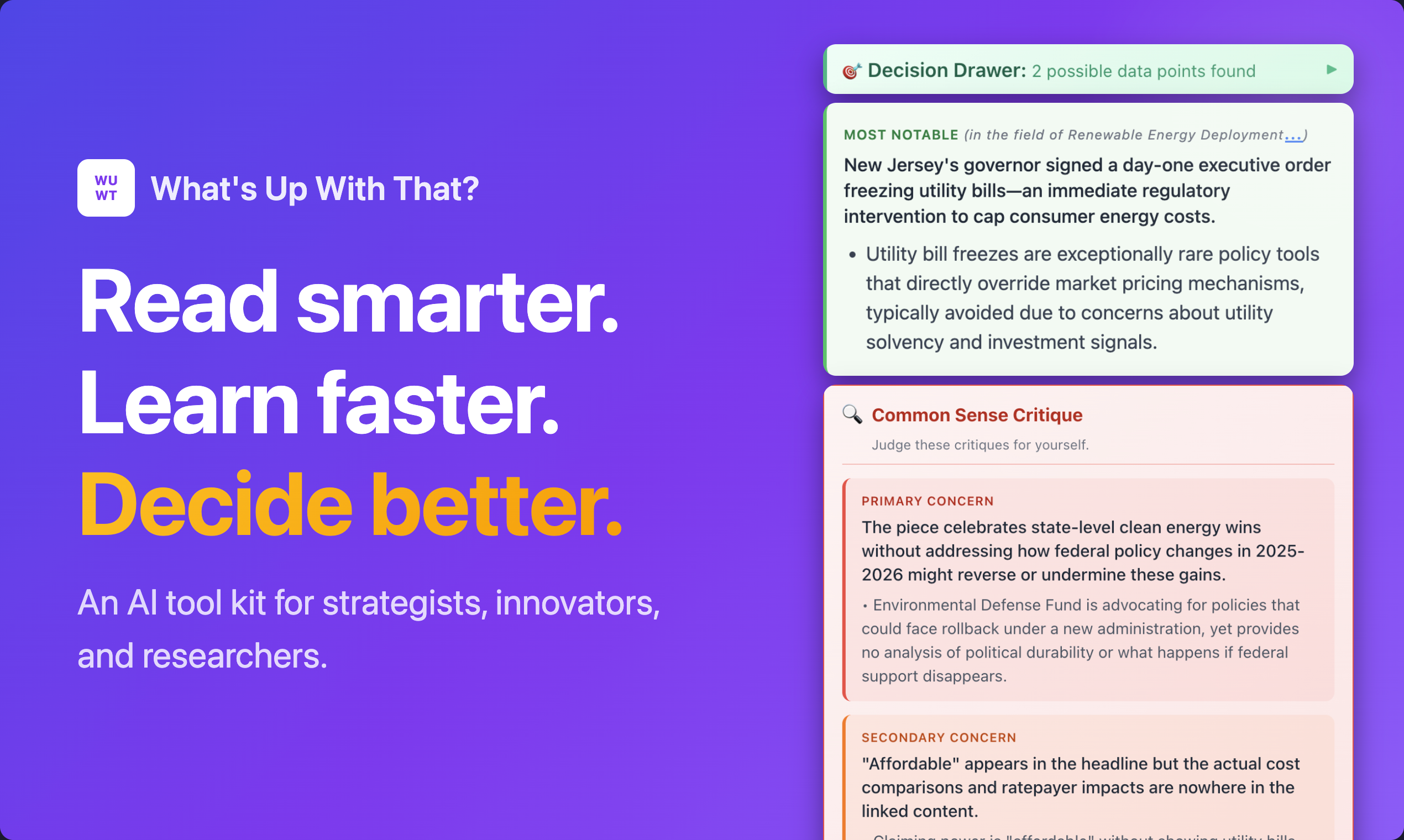
What’s Up With That? is a browser extension. You’re reading an article, you click the extension, and within about ten seconds it supposedly tells you not just what the article says but where it sits within the broader state of the art on that topic. It builds what the product describes as a real-time map of an industry and then locates the specific article within it.
That framing is doing a lot of work, and it’s either the most interesting thing about this product or the most overloaded.
The feature set breaks into a few distinct layers. The first is the context layer: understanding what’s new versus what’s background, what’s genuinely significant versus what’s noise. The second is the analysis layer: 35 AI tools built around named mental models, things like Red Team analysis, Causal Loop Diagrams, competitor scouting. The third is a research planning layer, where the product generates a personalized research path you can execute with a click.
The data capture piece is worth pausing on. The extension apparently auto-captures data points from what you read and files them toward whatever decision you’re researching. If that works as described, it solves a genuinely annoying problem. Most people have some version of a “save it and forget it” workflow. Links pile up in Notion or Pocket or a browser graveyard and never connect to anything. An extension that actively routes information toward a decision rather than just storing it is a different kind of tool.
It got solid traction on launch day, which suggests the pitch at least lands on first contact.
The 35-tool count is either impressive depth or a menu problem. When prompt management tools started bundling dozens of templates, the question was always the same: do users actually find more than three of them? The same question applies here. Causal Loop Diagrams are genuinely useful for systems thinking. But how many people who install a browser extension know they want one?
The product is clearly built for a specific kind of user: someone who reads a lot, thinks in frameworks, and wants their reading to be productive rather than just informative. That is a real person. Whether there are enough of them is a different question.
The Verdict
I think this product has a real idea inside it. The notion that reading is an active, decision-oriented process that tools should support, rather than just a passive information stream to be summarized, is genuinely underexplored. Most AI tools treat reading as a precursor to writing. What’s Up With That? is treating it as the work itself.
The risk is complexity. Thirty-five tools is a lot of surface area to introduce in a single click. The users most likely to want Causal Loop Diagrams are also the users most likely to have already built their own system. The users who need help most might look at that menu and close the extension.
At 30 days, I’d want to know which of those 35 tools are actually being used, and whether the state-of-the-art mapping is accurate enough to trust or just plausible enough to feel useful. Those are very different products.
At 90 days, the question is retention. Browser extensions are easy to install and easy to forget. If this doesn’t become a reflex within two weeks, it probably won’t become one at all. The auto-capture feature might be what creates that reflex. Or it might be the thing that feels like friction when you just wanted a quick read.
I’d try it. I’d also check back in sixty days to see which version of it survived contact with actual users.