
voicr-for-mac
Dictate and get improved or translated text
Voicr for Mac Wants Your Voice to Do the Typing. Here's Whether That's Actually Worth It.
The Macro: Voice Input Is Having a Moment, But Most of These Tools Are Solving Half the Problem
Let me tell you what’s actually happening in the voice-to-text space right now. It’s not that the technology finally works. It’s that people have started to believe it works, which is a subtly different thing, and that belief is pulling a lot of money and attention into the category.
Productivity software broadly is enormous. According to multiple market research sources, the global business productivity software market hit around $62.5 billion in 2024 and is projected to keep growing at double-digit rates through the next decade. Voice input tools are a small slice of that, but they’re a slice that’s getting louder.
Here’s the thing, though. Most dictation apps stop at transcription. You speak, it types, you clean it up. That cleanup step is where the whole workflow falls apart. I’ve watched people try tools like Wispr Flow, VoiceInk, and Aqua Voice. They all handle the speech-to-text part reasonably well. What they don’t do well is close the gap between what you said and what you actually wanted to write.
Which, look. That gap is the whole problem. Speaking and writing are not the same cognitive mode. You ramble when you speak. You repeat yourself. You use filler constructions that read terribly on a screen. A tool that just transcribes is a tool that creates a second editing job.
The smarter bet is building something that handles the cleanup automatically, which is exactly what a few newer tools are starting to attempt. That’s the real competition here, not Dragon Dictate circa 2012. The race is to own the full loop: voice in, clean text out, no detour through an edit screen.
Timing feels right. The hardware is fast enough, local processing is viable on modern Macs, and people are genuinely tired of typing everything. But most of these products are still one good feature short of habit-forming.
The Micro: 3 MB, One Shortcut, Surprisingly Ambitious Feature Set
Voicr is a menu bar app for Mac. It weighs 3 MB, which is almost offensively small for what it claims to do.
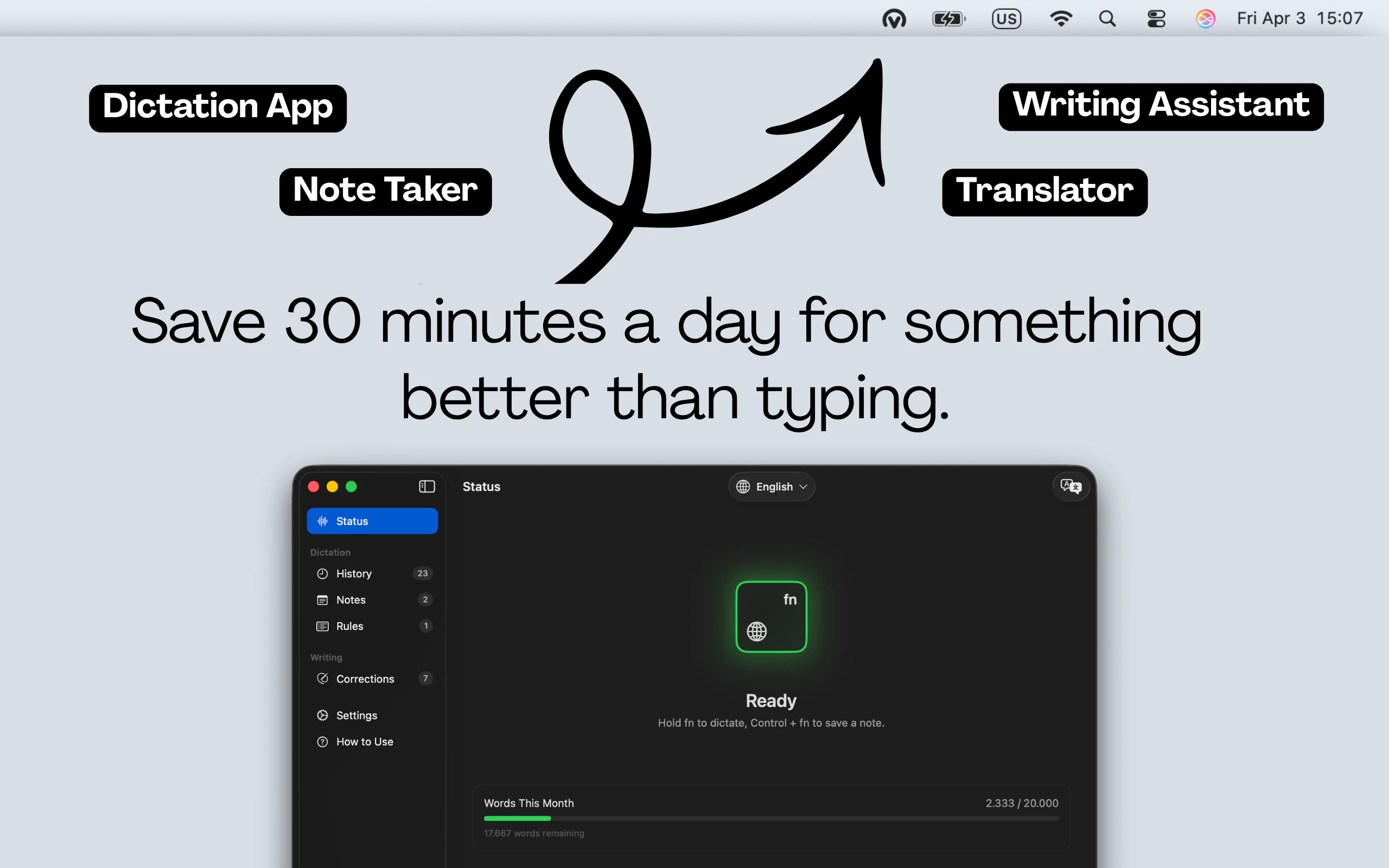
The core interaction is dead simple. Hold the FN key, speak, release. The transcribed and cleaned-up text pastes wherever your cursor is. No switching apps. No copy-paste. Just hold, speak, release. According to the product site, this works across a wide range of apps including Slack, Notion, VS Code, Google Docs, Discord, Jira, and more. Basically everywhere you type on a Mac.
But the more interesting piece is what happens to the audio after you speak. Voicr isn’t just transcribing. It’s running the text through an AI layer to clean and polish it. So if you ramble through a sentence, it tightens it. If you’re writing a message versus a code comment, the output should read accordingly. That’s the bet.
There’s also a translation feature across 27 languages, and a notes capture mode for ideas you don’t want to lose. That last one matters more than it sounds. Novi Notes made a similar observation about ambient idea capture, and I think there’s something real there. The window between having a thought and losing it is very short, and most apps make you do too much work to catch it.
The privacy angle is worth a mention. The site says no data is stored on their servers, everything stays local. For a tool that’s always listening for a hotkey press, that’s not a minor detail.
The riskiest product decision here is the AI polishing layer. It either works well enough that users never think about it, or it quietly changes meaning in ways users don’t catch until something embarrassing happens. There’s almost no middle outcome.
It got solid traction on launch day. The feature set is coherent for what it is.
If I were building this, I’d want more visible control over how aggressive the AI rewriting is. A “clean up” versus “leave it alone” toggle isn’t a complicated feature and it would remove a real anxiety about adoption.
The Verdict: Genuinely Useful, But One Trust Failure Away From Losing Everyone
Here’s the thing about Voicr. It’s not overhyped. That’s actually kind of refreshing in this category.
The feature set is honest. A 3 MB menu bar app that does dictation, AI cleanup, translation, and quick notes, all through a single keyboard shortcut, is a coherent product with a clear point of view. They didn’t try to build a platform. They built a sharp tool.
Which, look. That’s also the ceiling. A sharp tool can get very popular with a specific type of user, and that user probably looks a lot like a solo developer, a remote worker doing a lot of async communication, or someone who thinks in voice but writes for a living. That’s a real audience.
The thing that will determine whether Voicr exists in two years is how well the AI polishing actually performs at scale, across different speaking styles, accents, and contexts. Writing tools that touch your actual words carry an enormous amount of user trust. The moment someone sends a client message that Voicr quietly reworded into something wrong, they’re gone and they’re telling everyone.
I think this works if the AI layer is genuinely conservative and accurate, and fails if it’s trying to be too clever. The translation feature is also a real differentiator, not a checkbox. Twenty-seven languages with zero app switching is a legitimately useful thing for anyone doing multilingual work.
My prediction: Voicr finds a loyal, small-to-medium user base among Mac-native power users, doesn’t become a mainstream consumer app, but doesn’t need to. If they nail the trust problem, the retention will be very strong. That’s a real business.